
01 / SCAN
Scan the table’s QR code.
Each table has a unique QR code. The diner’s camera opens your menu in the browser. No app to install and no sign-up.
Feature · QR ordering
Your customers scan a QR code on the table, browse your menu on their phone and send their order. No app to download, no login required, no commission per order.
Each table has its own QR code. The menu opens in the diner’s browser, so there is nothing to install and nothing for your staff to explain.
For the owner who wants fewer trips between the tables and the counter.
Each table has a unique QR code. The diner’s camera opens your menu in the browser. No app to install and no sign-up.
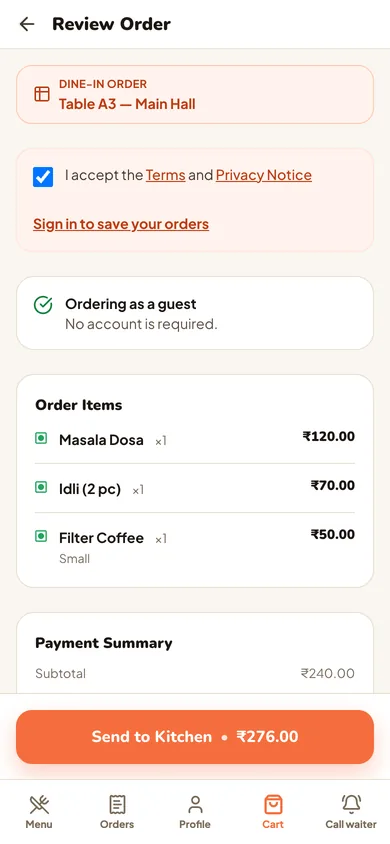
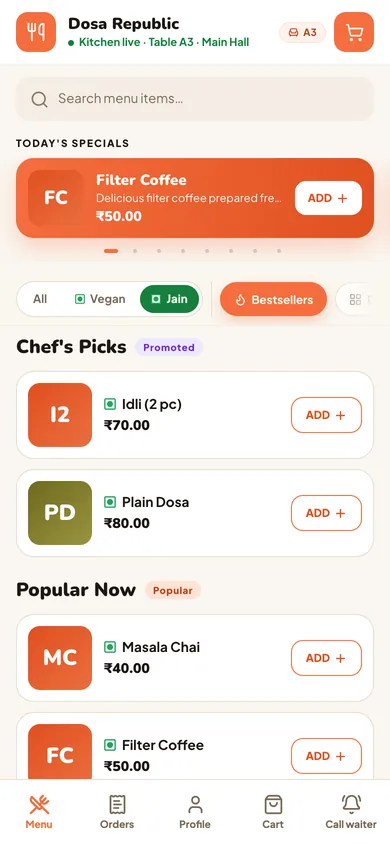
Dishes show a price and Veg, Vegan, Jain and egg filters. Diners pick sizes and add-ons, leave a note for the kitchen, review the order and tap Send to Kitchen.
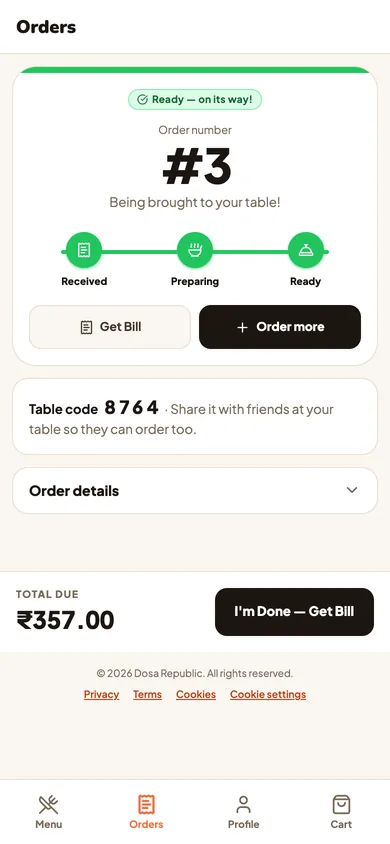
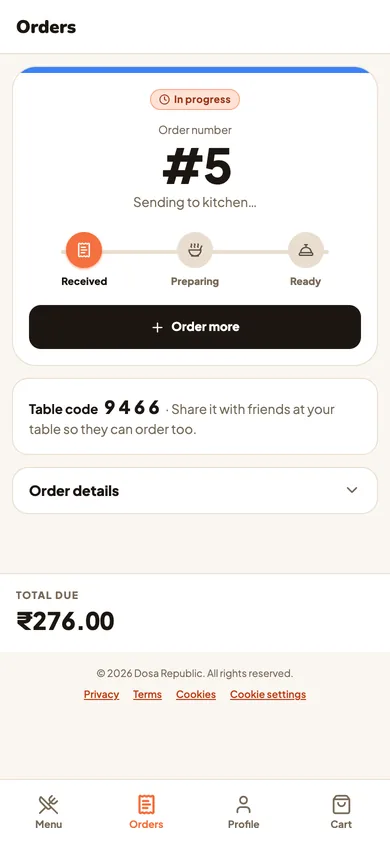
The tracker moves from Received to Preparing to Ready. Diners can add another round, call the waiter or ask for the bill.
What changes when diners order from their own phone.
Diners can order as soon as they sit down, without waiting for a waiter to bring a menu and take the order. Staff accept the order, or auto-accept does, and it shows on the kitchen screen.
Diners pick the dishes themselves, add a note for the kitchen and review before sending, so the order reaches your team the way the diner placed it.
Servly charges ₹15,000 a year + 18% GST per restaurant. No commission, no per-scan fee and no revenue sharing. Your margins stay yours.
Add your restaurant name, categories, item images and dietary tags. Update items, prices and availability from your Servly dashboard.
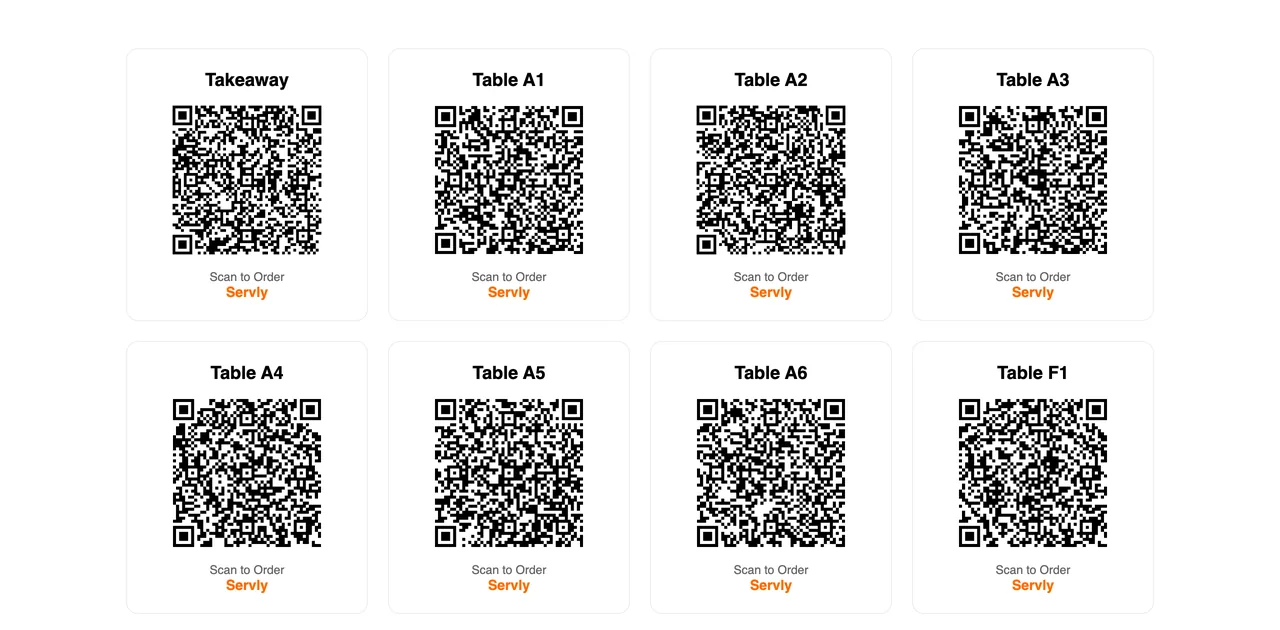
Servly generates the sheet after setup: one QR per table and a Takeaway QR. Print it on regular paper, laminate it, or use table tent cards.
Diners at a second phone on the same table use the table’s 4-digit code to join the order.
A unique QR per table. Diners order independently, so your waiters spend their time serving instead of writing orders.
Speed is everything. Diners scan at the counter or the table, order without waiting for a waiter and skip the queue.
Show your pastries and drinks with images. Diners browse the full menu with prices while they wait, not just what the counter display fits.
Servly runs for food courts too: guests scan, order from their phone and follow the order on the tracker.
No. Customers scan the QR code with their phone camera and the menu opens in their browser. No app download and no login required. It works on any smartphone with a camera and a web browser, Android or iPhone.
Servly generates a printable sheet with one QR code per table, plus a Takeaway QR, right after setup. You can print them on regular paper, get them laminated, or use table tent cards. Each QR code is unique to a table, so your team knows where the order came from.
By default, yes. Staff accept each diner order and it then appears on the kitchen screen. You can switch on auto-accept if you want orders to reach the kitchen screen as soon as they are sent.
No. The diner needs mobile data or Wi-Fi to load the menu, and your kitchen screen needs an internet connection too. Servly runs on any device with a browser.
Yes. You can add your restaurant name, categories, item images and dietary tags (Veg, Vegan, Jain and egg filters are built into the menu). You can update items, prices and availability from your Servly dashboard.
QR ordering is included in the Servly plan at ₹15,000 a year + 18% GST, paid upfront. The first 25 restaurants get a founding discount; contact sales. There is no commission on orders and no per-scan fee. The kitchen display is included in the plan.
Start with a look
Book a demo and we’ll walk you through QR ordering on a demo restaurant, from the table scan to the kitchen screen. There is no free trial, so you see it first.
Pay, run it in your kitchen, and get all your money back within 14 days of payment if you don't want to continue.
Our team sets up your restaurant on Servly. Paste your menu or upload a CSV, or send us photos and we load it. Servly checks every row before your menu starts taking orders.